

Map and Set in JavaScript
Modern JavaScript collections for cleaner, smarter, and faster code
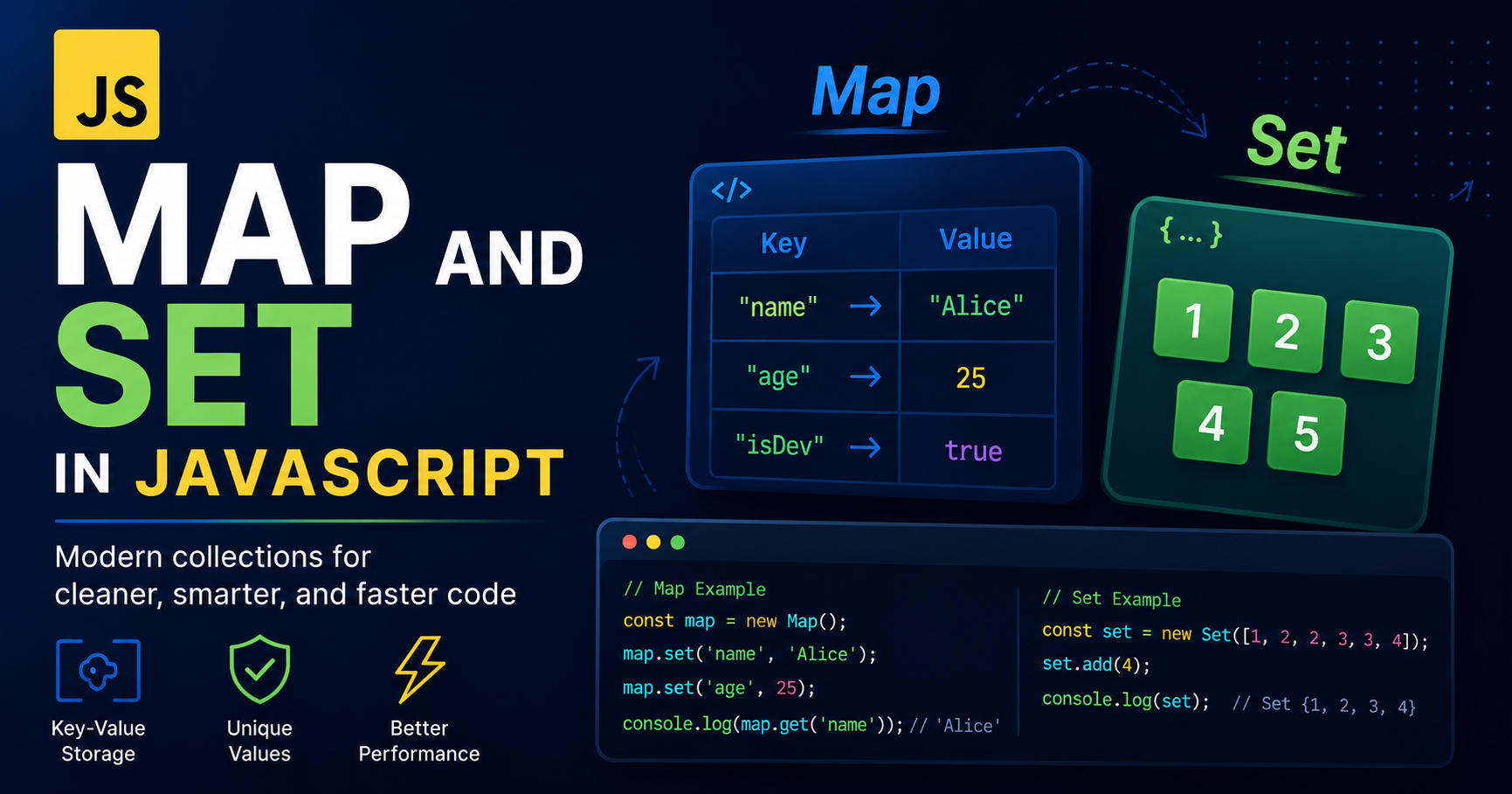
JavaScript already gives us objects and arrays. So when developers first hear about Map and Set, the reaction is usually:
“Why do we need more data structures?”
Fair question.
At first glance, objects already store key-value pairs and arrays already store lists of values. But once applications become larger, the limitations of traditional objects and arrays start showing up very quickly.
Objects were originally designed for structured data, not as advanced hash maps. Arrays are great for ordered collections, but terrible when uniqueness becomes important.
That is exactly why JavaScript introduced Map and Set.
They solve problems that developers constantly faced while building real-world applications.
The Problem with Traditional Objects
For years, developers used plain objects for key-value storage.
const user = {
  name: "Batman",
  city: "Gotham"
};
Looks simple enough.
But objects come with hidden quirks.
Object Keys Are Limited
In objects, keys are automatically converted into strings.
const obj = {};

obj[1] = "Number key";
obj[true] = "Boolean key";

console.log(obj);
Output:
{
  "1": "Number key",
  "true": "Boolean key"
}
Even though we used a number and a boolean, JavaScript converted them into strings.
Now imagine using objects, arrays, or functions as keys.
Things become messy very fast.
Objects Have Prototype Pollution Issues
Objects inherit properties from prototypes.
const obj = {};

console.log(obj.toString);
Even though we never added toString, it still exists.
This can create unexpected behavior while looping through keys.
Developers had to constantly use things like:
hasOwnProperty()
Just to avoid inherited properties.
Not exactly fun.
Objects Are Not Optimized for Frequent Add/Delete Operations
Objects work well for structured data.
But when data constantly changes — adding entries, removing entries, checking existence — performance and readability become harder to manage.
This is where Map enters.
What is Map in JavaScript?
A Map is a collection of key-value pairs where:
Keys can be of any data type
Order of insertion is preserved
No accidental prototype keys exist
It is optimized for frequent data operations
Creating a map:
const userMap = new Map();
Adding values:
userMap.set("name", "Batman");
userMap.set("city", "Gotham");
Getting values:
console.log(userMap.get("name"));
Output:
Batman
Checking if a key exists:
console.log(userMap.has("city"));
Deleting values:
userMap.delete("city");
Getting size:
console.log(userMap.size);
Map Allows Any Type of Key
This is one of the biggest advantages over objects.
const map = new Map();

const objKey = { id: 1 };

map.set(objKey, "Secret Data");

console.log(map.get(objKey));
Output:
Secret Data
Here, an actual object becomes the key.
Objects cannot do this properly because they convert keys into strings.
Map stores the reference itself.
That makes it extremely useful in advanced applications.
Iterating Over a Map
Maps are directly iterable.
const productMap = new Map();

productMap.set("laptop", 50000);
productMap.set("phone", 30000);

for (const [key, value] of productMap) {
  console.log(key, value);
}
Output:
laptop 50000
phone 30000
Cleaner. Predictable. No prototype headache.
Difference Between Map and Object
| Feature | Object | Map |
|---|---|---|
| Key Type | Mostly strings/symbols | Any data type |
| Order Preservation | Not always predictable historically | Preserves insertion order |
| Iterable by Default | No | Yes |
| Prototype Keys | Exists | No accidental keys |
| Performance for Frequent Operations | Good | Better for dynamic operations |
| Size Property | Needs manual counting | Built-in size |
Objects are still important.
You should absolutely use objects for structured data like:
const user = {
  name: "Bruce",
  age: 32
};
But if your application behaves more like a dynamic data store, Map becomes a better option.
Real-World Use Cases of Map
Caching Data
const cache = new Map();

cache.set("user-1", { name: "Batman" });
Tracking User Sessions
const sessions = new Map();

sessions.set(101, "Active");
sessions.set(102, "Inactive");
Counting Occurrences
const words = ["bat", "cat", "bat", "dog"];

const countMap = new Map();

for (const word of words) {
  countMap.set(word, (countMap.get(word) || 0) + 1);
}

console.log(countMap);
Output:
Map(3) {
  'bat' => 2,
  'cat' => 1,
  'dog' => 1
}
The Problem with Arrays
Arrays are amazing.
But they have one annoying issue.
They allow duplicates.
const numbers = [1, 2, 2, 3, 3, 4];
Now suppose you only want unique values.
You suddenly start writing complicated filtering logic.
const unique = numbers.filter((value, index) => {
  return numbers.indexOf(value) === index;
});
Works.
But not elegant.
This is where Set becomes useful.
What is Set in JavaScript?
A Set is a collection of unique values.
That means duplicates are automatically removed.
Creating a set:
const numbers = new Set();
Adding values:
numbers.add(1);
numbers.add(2);
numbers.add(2);
numbers.add(3);
Checking values:
console.log(numbers);
Output:
Set(3) { 1, 2, 3 }
Notice something?
The duplicate 2 disappeared automatically.
Set said:
“Duplicate detected. Rejected. Try again later.”
Efficient. Ruthless. Beautiful.
Important Set Methods
Add Values
set.add(value)
Check Existence
set.has(value)
Delete Values
set.delete(value)
Get Size
set.size
Clear Entire Set
set.clear()
Removing Duplicates Using Set
One of the most common real-world uses.
const nums = [1, 2, 2, 3, 4, 4, 5];

const uniqueNums = [...new Set(nums)];

console.log(uniqueNums);
Output:
[1, 2, 3, 4, 5]
This single line is used everywhere.
Frontend apps. Backend APIs. Data processing. Interview questions. Pretty much the entire JavaScript ecosystem.
Difference Between Set and Array
| Feature | Array | Set |
|---|---|---|
| Duplicate Values | Allowed | Not Allowed |
| Order Preservation | Yes | Yes |
| Searching | Slower in large datasets | Faster existence checks |
| Index Access | Yes | No |
| Purpose | Ordered collections | Unique collections |
Arrays are better when order and indexing matter.
Sets are better when uniqueness matters.
Simple rule.
Real-World Use Cases of Set
Storing Unique Tags
const tags = new Set();

tags.add("JavaScript");
tags.add("React");
tags.add("JavaScript");

console.log(tags);
Tracking Logged-In Users
const onlineUsers = new Set();

onlineUsers.add("Batman");
onlineUsers.add("Superman");
Preventing Duplicate API Requests
const requestedIds = new Set();
Very common in modern applications.
When Should You Use Map?
Use Map when:
You need key-value storage
Keys are dynamic
Keys can be objects or functions
Frequent add/remove operations happen
Iteration matters
When Should You Use Set?
Use Set when:
You only want unique values
Duplicate prevention matters
Fast existence checking is needed
You need cleaner duplicate removal logic
Final Thoughts
Map and Set were not added to JavaScript just to make syntax look fancy.
They solve actual problems.
Objects and arrays are still extremely important.
But modern JavaScript development is all about choosing the right tool for the right job.
If you try forcing arrays to behave like sets or objects to behave like maps, your code eventually becomes harder to read, harder to scale, and harder to maintain.
Understanding Map and Set helps you write cleaner logic, avoid unnecessary complexity, and think more like a real software engineer instead of someone just memorizing syntax.
And honestly, the moment you start using them properly, going back to old workarounds feels painful.
JavaScript developers spent years fighting duplicate arrays and awkward object keys.
Map and Set basically showed up and said:
“Relax. We got this.”


