

Control Flow in JavaScript: If, Else, and Switch Explained
How JavaScript decides which code runs next.
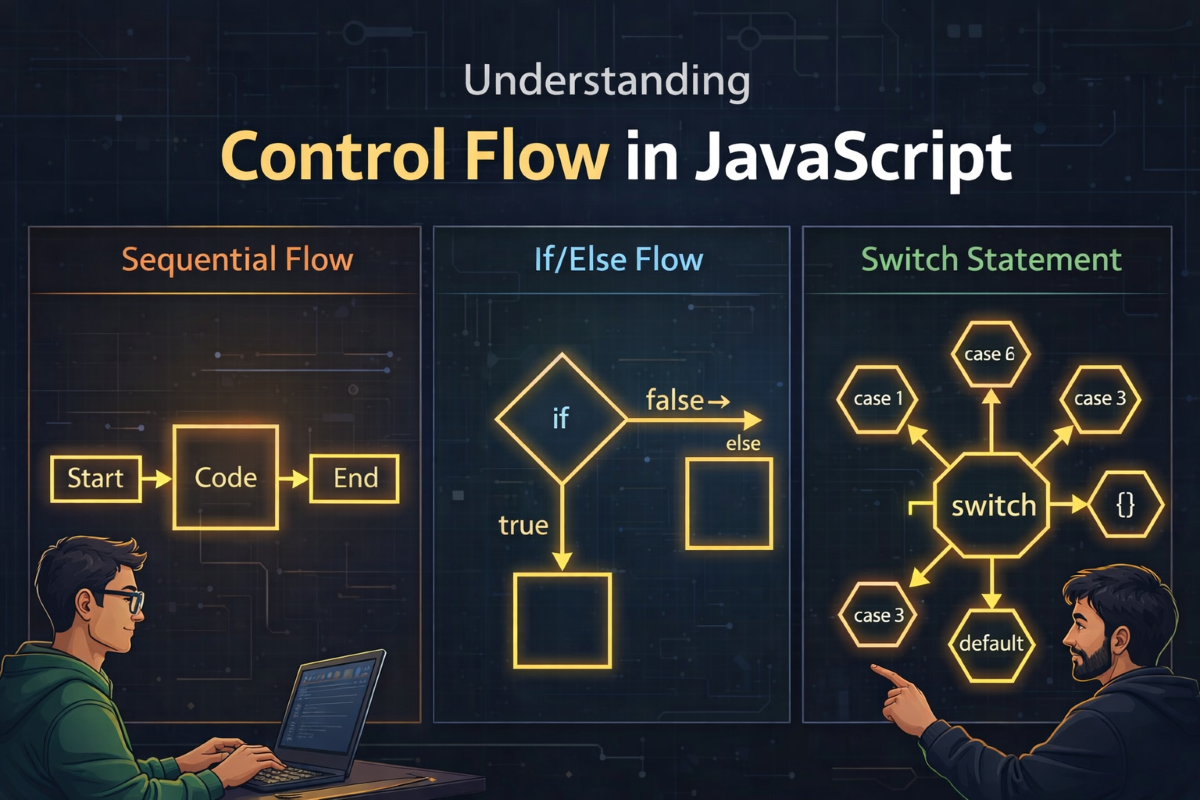
In our last post, we explored how variables store data. That was the first brick. But a program that only stores information is like a machine that powers on and then just… waits.
Data alone doesn't create behavior.
Behavior comes from decisions.
And decisions in programming are controlled through something called control flow.
If that sentence makes sense, you're ready for this article. If not, read it again slowly — because everything ahead builds on that idea.
What is Control Flow?

Control flow is simply
The order in which your program executes instructions.
By default, code runs top --> bottom --> line by line.
But real programs rarely work like that.
Sometimes you want :
run this only if condition is true
otherwise run something else
or pick one option among many
That's where control structures come in.
In JavaScript, the fundamental ones are :
ifif...elseelse ifswitch
We'll go one layer at a time.
The if Statement

An if statement runs code only if a condition is true.
let age = 20 ;

if (age>=18) {
    console.log("You can vote.");
}
Execution logic
Check condition -->
age >=18If true --> run block
If false --> skip block
That's it.
No rocket science.. Just conditional execution.
The if...else Statement

What if you want something to happen.. when the condition is false ? How you gonna do that?
You add else .
let marks = 35;

if (marks >= 46) {
    console.log("Pass");
} else {
    console.log("Fail");
}
Execution always picks exactly one branch.
Never both.
Think of it as a fork in the road.. once you choose a path , the other disappears..
The else if Ladder

Sometimes.. decisions aren't binary , and you have series of options to do stuff
let score = 48;

if (score >= 50) {
    console.log("Grade A");
} else if (score >= 40) {
    console.log("Grade B");
} else if (score >=30) {
    console.log("Grade C");
} else {
    console.log("Grade D");
}
Important rule:
Conditions are checked from top to bottom.
The first true condition stops the ladder.
this is why sometimes.. ordering conditions incorrectly can introduce bugs , even though the syntax is 100% correct
Visual Flow of Decision ladder..

Quick checkpoint
You now understand three levels of control..
single decision (
if)binary decision
if...else)multi-conditional decision.. (
else ifladder )
We can now explore a structured design.. for multi-choice scenarios
The switch Statement
When you need to compare one value against many exact options, switch is cleaner and more readable than long else if chains
let day = 3;

switch (day) {
    case 1 :
        console.log("Monday");
        break;

    case 2 :
        console.log("Tuesday");
        break;

    case 3 :
        console.log("Wednesday");
        break;

    default :
        console.log("Invalid day");
}
Why break?
Without break , execution continues to next case.. and in many cases could introduce unwanted behaviors
Example mistake :
case 1 :
    console.log("Monday")
case 2 :
    console.log("Tuesday")
The output of day = 1
Monday
Tuesday
Because execution falls through.
That's not a bug in JavaScript.
That's JavaScript doing exactly what you told it to.
Falling through sometimes could be used immediately.. for grouped logic .. BUT ONLY WHEN done CONSCIOUSLY
Switch branching diagram..

When to Use switch vs if...else
Use if-else when :
conditions are ranges (age>10)
logic is complex..
multiple variables are involved..
Use switch when :
checking exact values
comparing one variable
many discrete options
| Example |
|---|
| Situation | Example | Why switch? |
|---|---|---|
| Single variable, many exact values | switch(day) |
Cleaner than repeated if...else |
| Several discrete cases | switch(status) |
More readable |
| Shared logic between cases | case 1: case 2: |
Intentional fall-through |
Rule of thumb :
IF LOGIC reads like "if this... else if that" --> use if-else
IF LOGIC reads like "when value equals..." --> use switch
PRACTICE TIME
1. NUMBER TYPE CHECKER
let num = -1;

if (num > 0) {
    console.log("Positive");
} else if (num < 0 ) {
    console.log("Negative");
} else {
    console.log("Zero");
}
Why if-else?
Because we're checking ranges.. and not actually comparing some value..
2. DAY PRINTER USING SWITCH
let day = 5;

switch (day) {
	case 1 : console.log("Monday"); break;
	case 2 : console.log("Tuesday"); break;
	case 3 : console.log("Wednesday"); break;
	case 4 : console.log("Thursday"); break;
	case 5 : console.log("Friday"); break;
	case 6 : console.log("Saturday"); break;
	case 7 : console.log("Sunday"); break;
	default : console.log("Invalid");
}
Why switch?
Because we compare one value against fixed possibilities.
Recap
By now you've learned:
how
ifworkshow
if...elsecreates two possible pathshow
else ifhandles multiple conditionswhen
switchcan be cleaner than long condition chainswhat happens when
breakis removed
If you're able to explain these concepts aloud, you've understood control flow — not just memorized it.
What Comes Next?
So far in this series we've covered:
In the next article, we'll explore Functions in JavaScript — the building blocks that let us organize and reuse logic.
Until then, try experimenting with these control structures.
Because the real learning happens when you write the code yourself.


